A Better Inspection Process From Start to Finish.
Open Path gives drivers a straightforward way to complete vehicle inspections while giving fleet management documented information about what was inspected and what was found.
Inspect. Document. Review. Act.
Open Path connects the driver's inspection with the information fleet management needs to understand vehicle condition and respond to problems.
Start the Inspection
The driver selects the vehicle and begins the inspection from their mobile device.
Inspect Each Point
The driver works through the inspection points and records the condition of the vehicle.
Document Problems
Photos, comments, and location information can be recorded when something needs attention.
Review and Act
Management can review inspection information and address problems before they become bigger problems.
Simple for the Driver. Valuable for the Fleet.
Open Path is designed to make the inspection process easy to follow without sacrificing the information fleet management needs.
Open the inspection
Start the inspection from the driver's mobile device.
Work through the inspection points
Check each required inspection point.
Document anything that needs attention
Add photos and comments when appropriate.
Complete the inspection
Create a documented inspection record.
Every Inspection Point Has a Purpose.
Drivers can work through assigned inspection points, review instructions, add images, record comments, and mark each point complete.
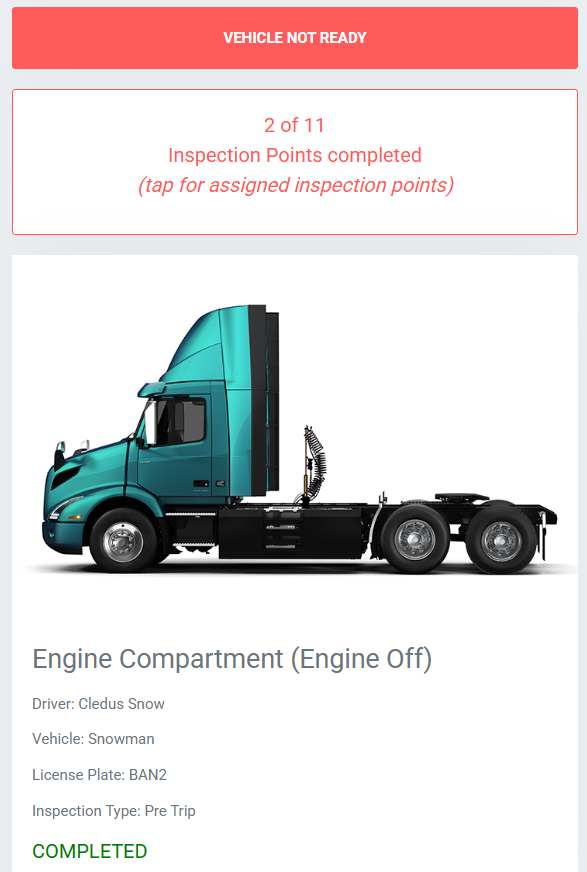
Know What to Inspect
Drivers can see the inspection points that need to be completed.
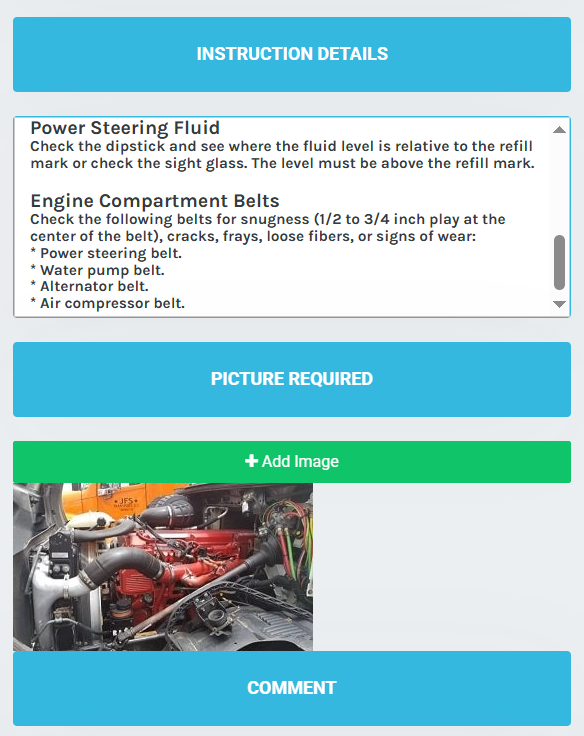
Follow Inspection Instructions
Inspection instructions help provide a consistent process for checking the vehicle.
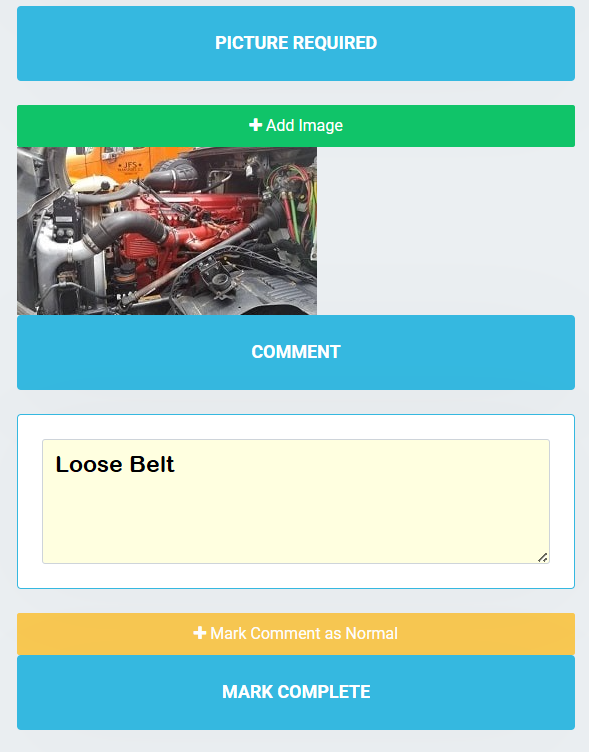
Document What Is Found
Photos and comments can provide additional information when something requires attention.
Turn Inspection Results Into Visibility.
The value of a digital inspection isn't just that the driver completed it. The information becomes available to management so problems can be identified and followed up.
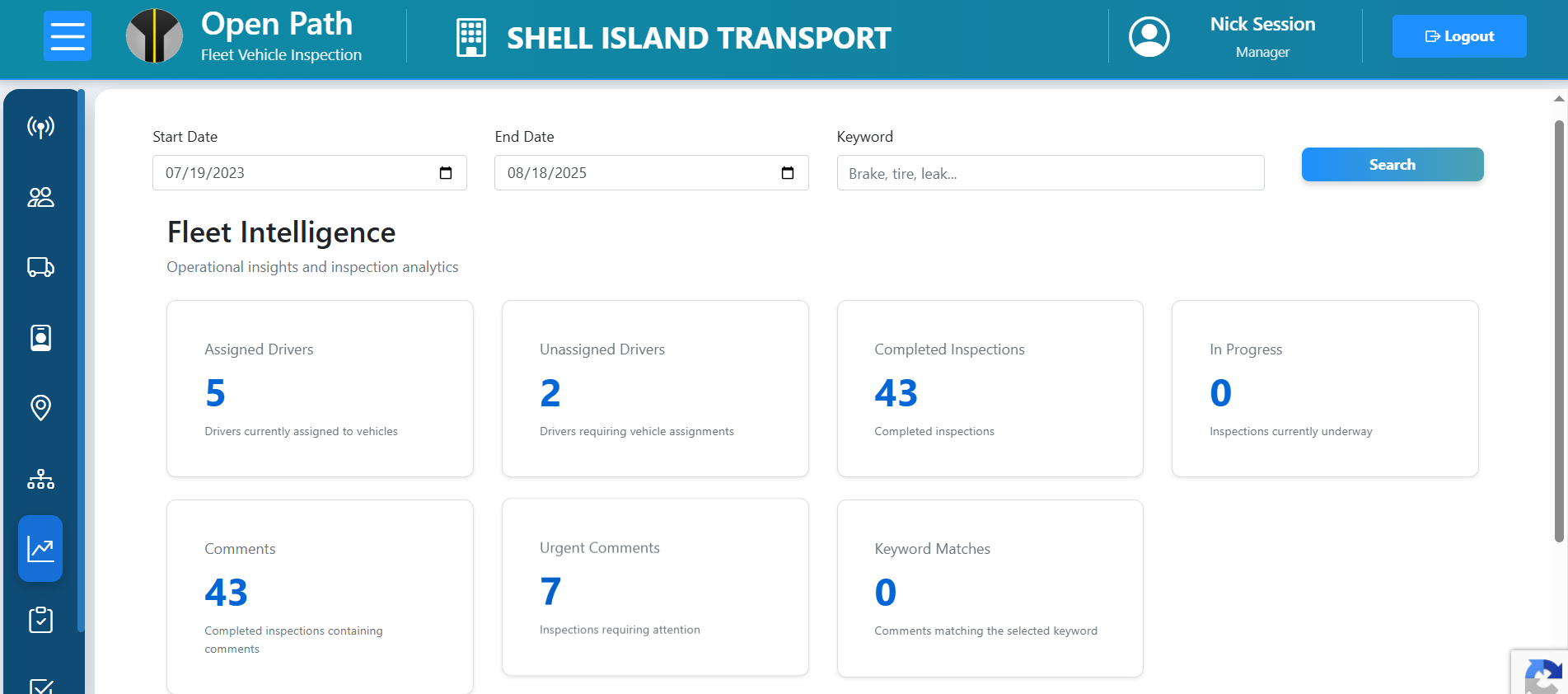
See completed inspections
Know which inspections have been completed.
Review findings
See comments, photos, and inspection information.
Identify concerns
Find problems that may require maintenance or follow-up.
Take action
Address problems before they have an opportunity to grow.
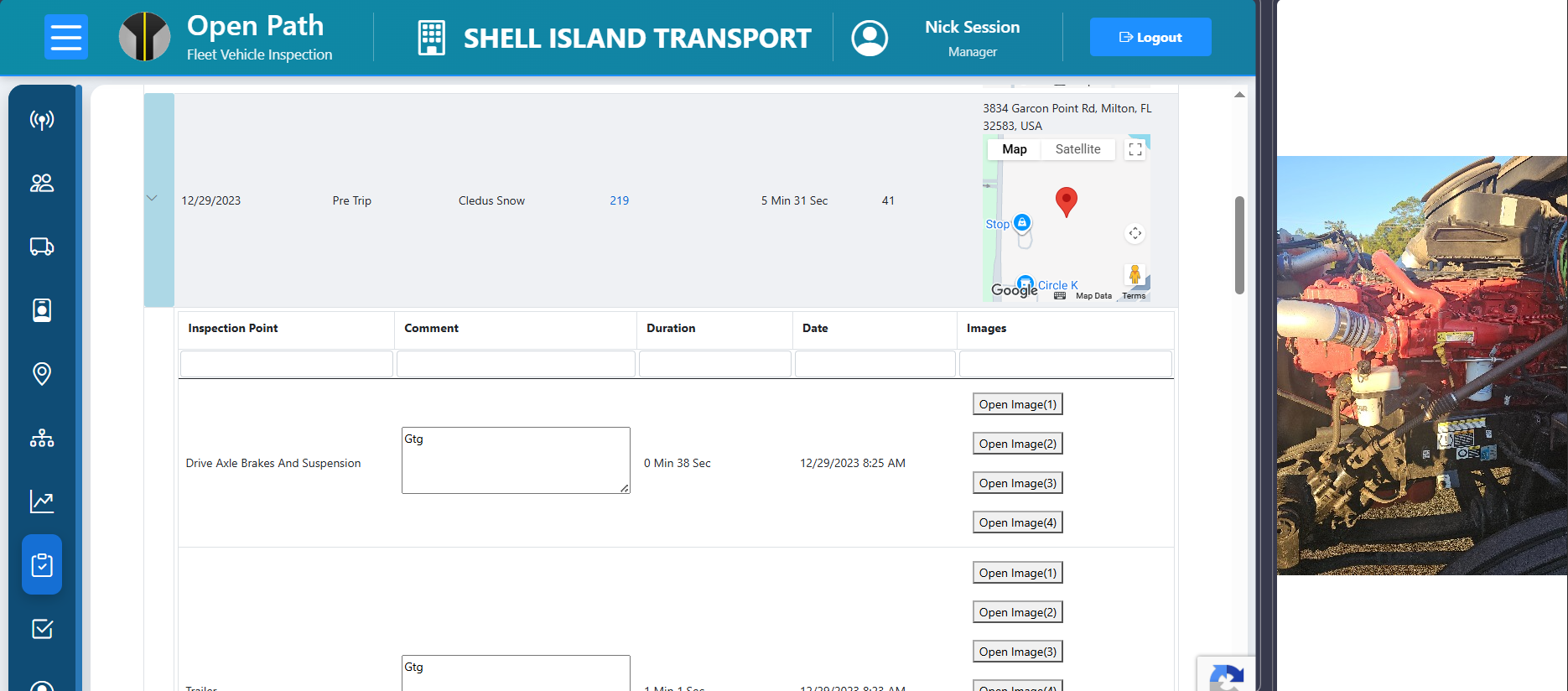
See What Was Inspected and What Was Found.
Completed inspections provide management with a detailed record of the inspection, including inspection points, comments, images, timing, and location information.
The inspection becomes a record management can review, not just a task the driver completed.
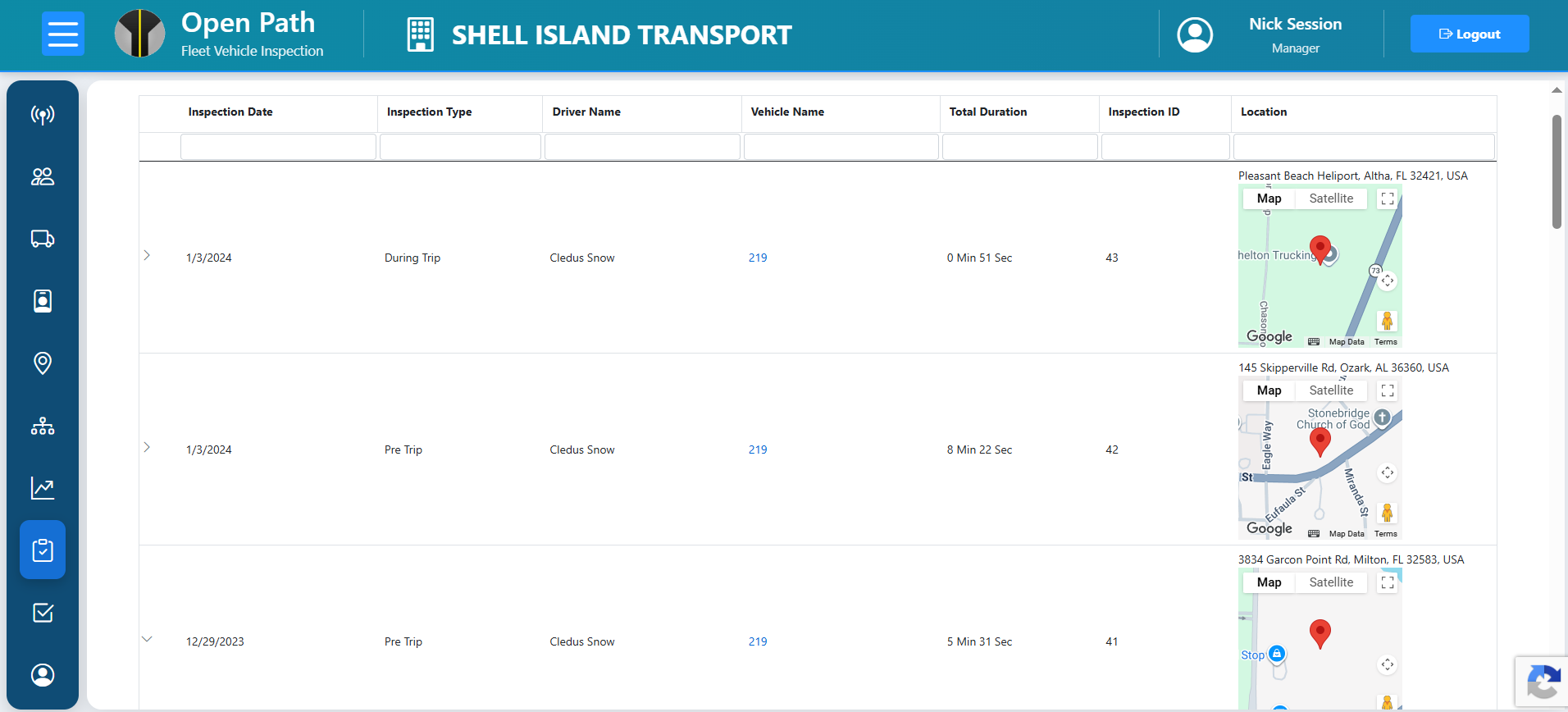
Build a History of Fleet Inspections.
Management can review inspection activity across the fleet and see when inspections were performed, by whom, for which vehicle, and where they occurred.
That history provides greater visibility into the inspection process over time.
Know Your Fleet Has a Documented Inspection Process.
Give your drivers a structured inspection process and give management the visibility to know what is happening.
Start Free